# 
Integrate Address Validation to Your Unbounce Form
## Screenshots[](#screenshots "Direct link to Screenshots")
### Address Finder[](#address-finder "Direct link to Address Finder")
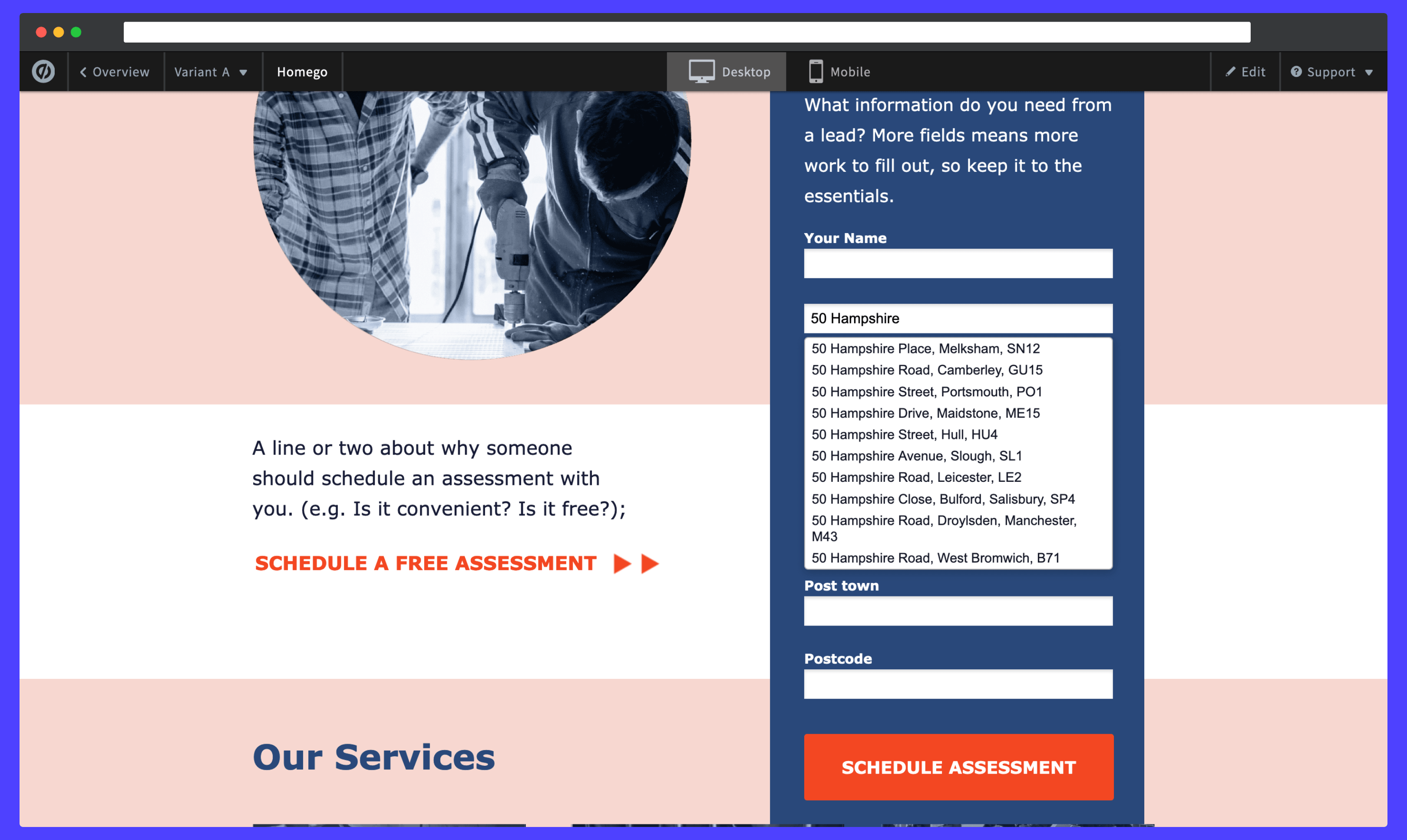
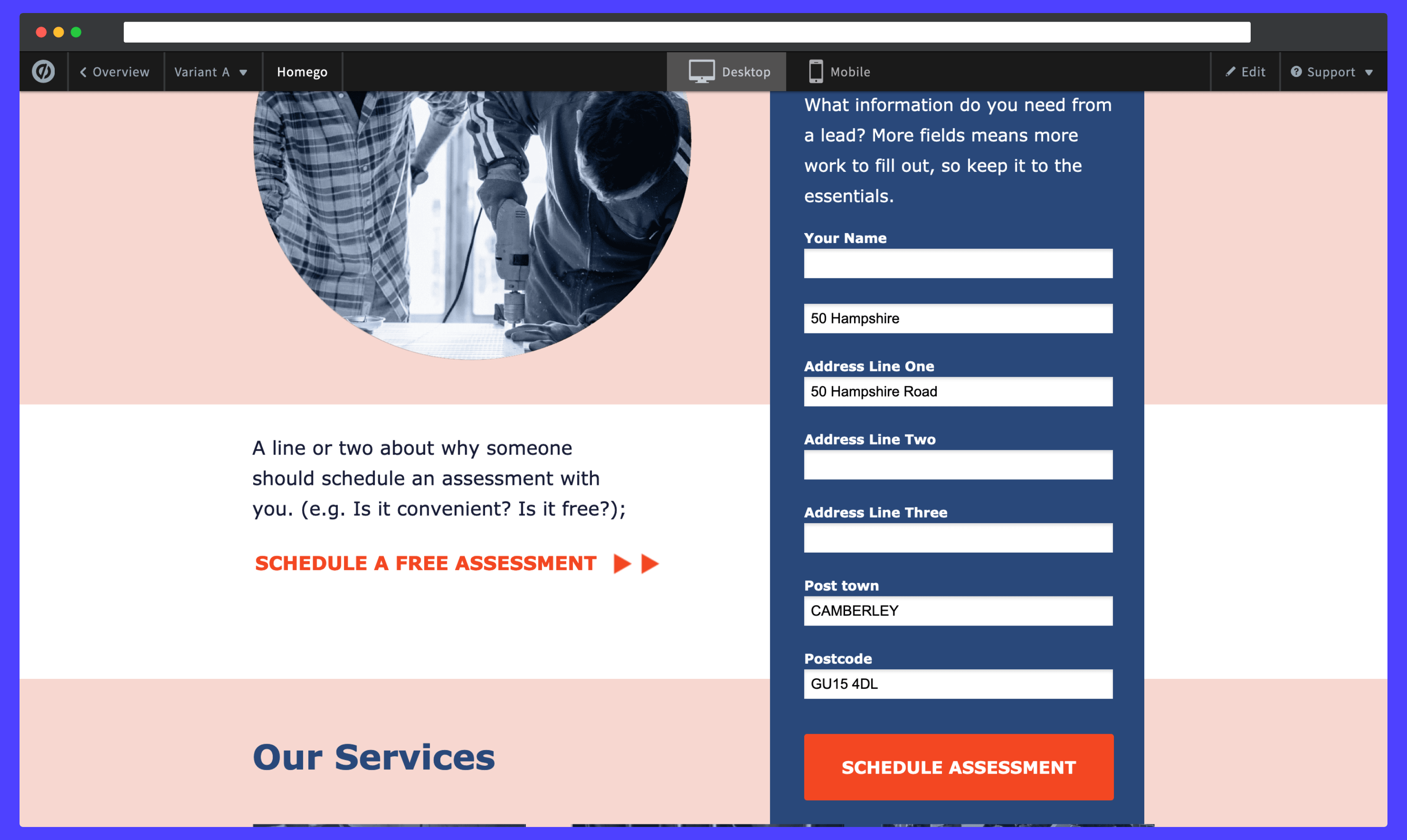
### Postcode Lookup[](#postcode-lookup "Direct link to Postcode Lookup")
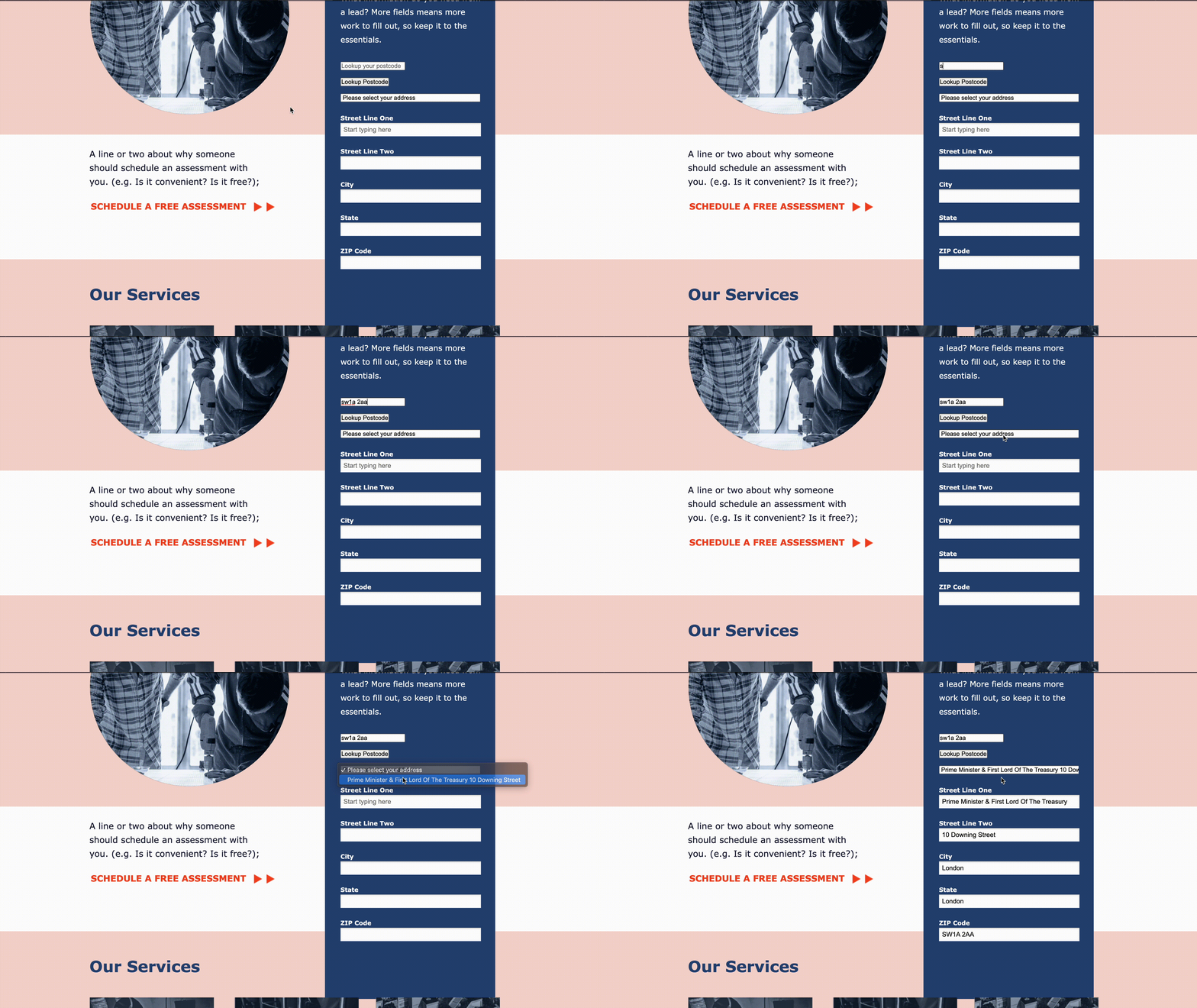
## Create Form Fields[](#create-form-fields "Direct link to Create Form Fields")
This integration works by inserting scripts and stylesheets into the Unbounce Builder page.
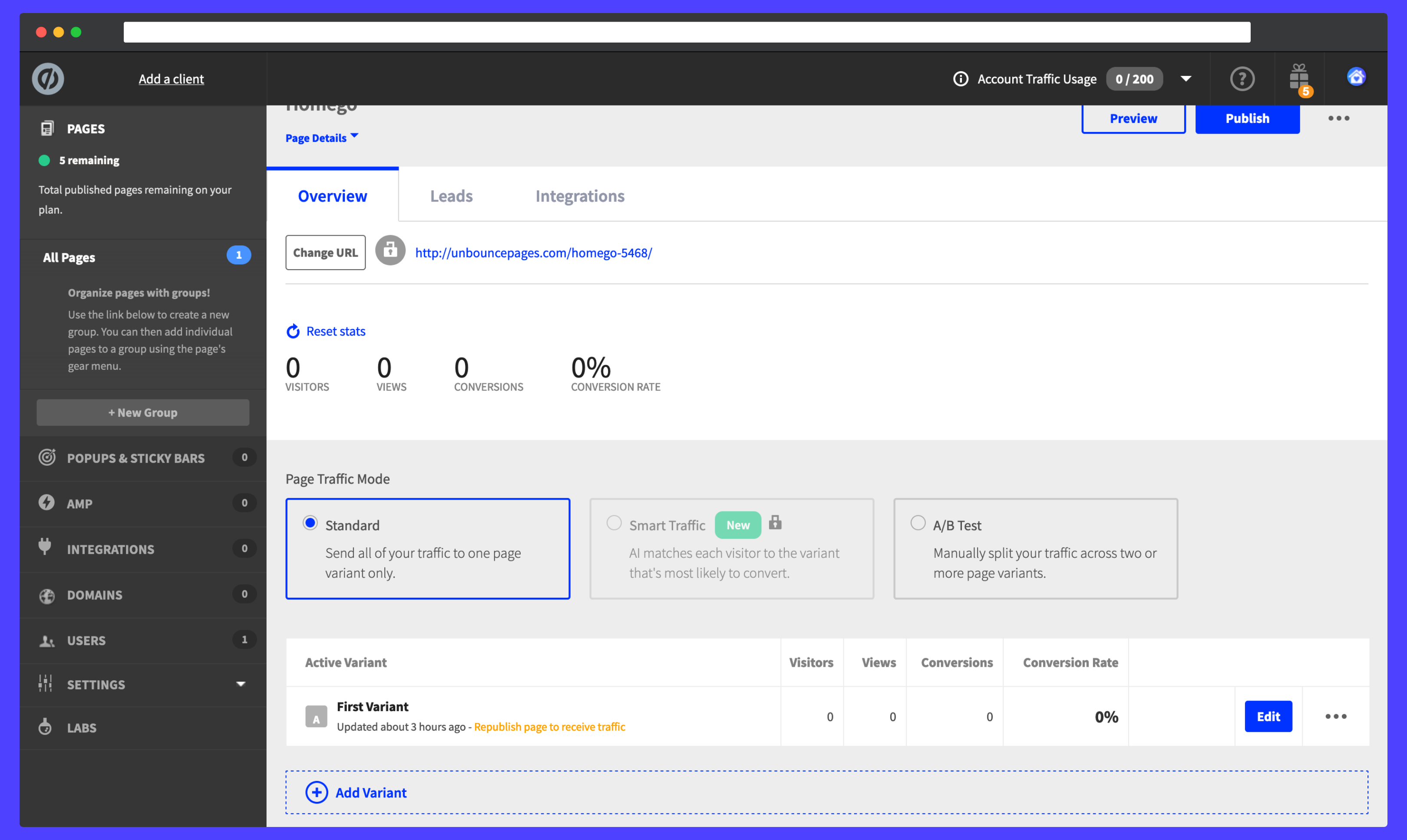
### Access Dashboard[](#access-dashboard "Direct link to Access Dashboard")
From the Unbounce dashboard, click on your page. On the `Overview` tab, scroll down the page to the `Active Variant` panel and click on the blue `Edit` button.
### Create Address Fields[](#create-address-fields "Direct link to Create Address Fields")
Next click on the address form. You will be directed to a modal where you can start adding address input fields to your form. A basic address form to capture a correct UK address requires the following fields:
* Address line one
* Address line two
* Address line three
* Post town
* Postcode
You can optionally include additional fields, which are documented in our [PAF data documentation](/docs/data/paf.md).
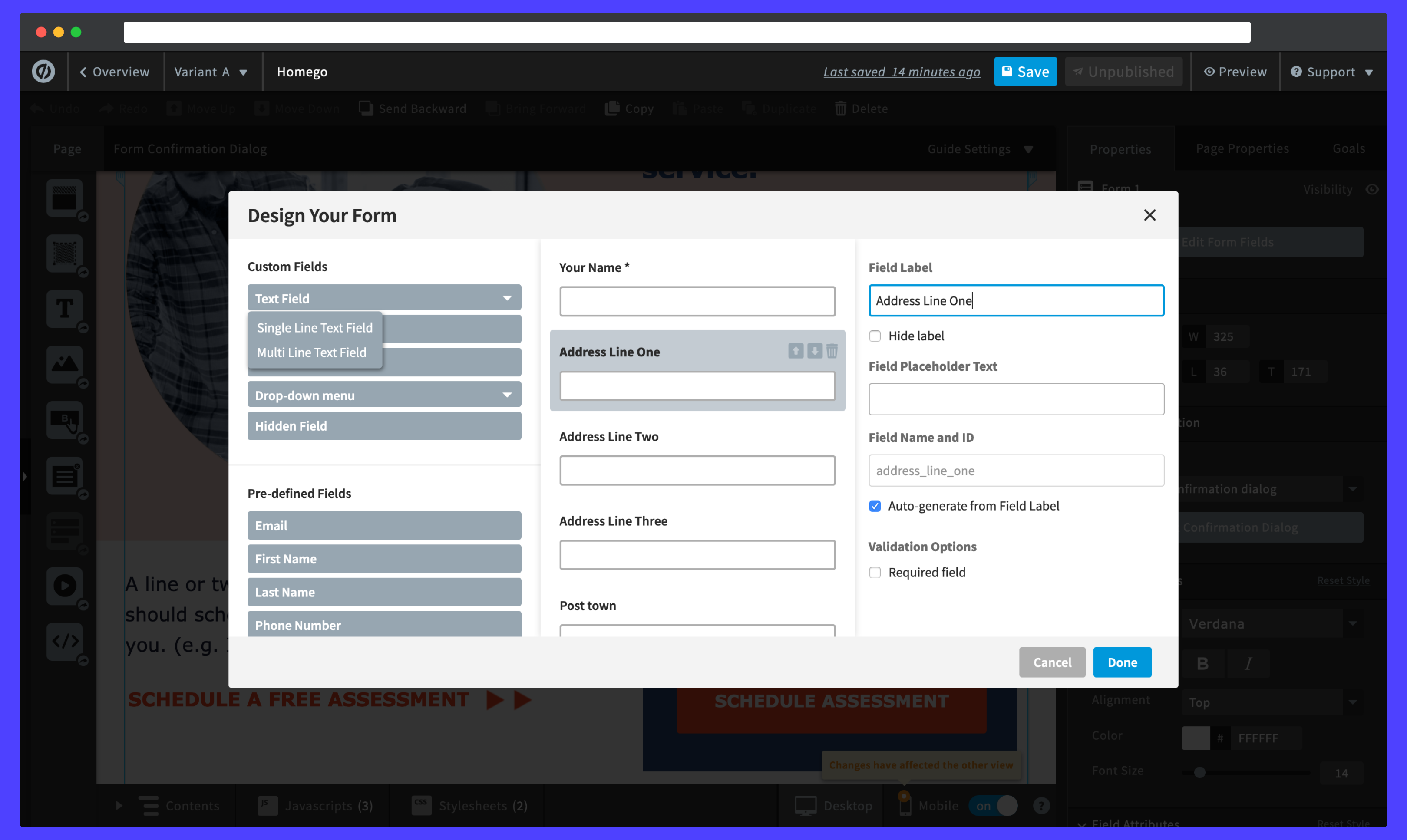
Be sure to create an input label to search for an address. Should you wish to hide the text, you can click on the `Hide label` checkbox. When selecting a label, you can alter its position in the form by clicking on the up and down arrows to the right of the panel.
## Initialise Address Finder[](#initialise-address-finder "Direct link to Initialise Address Finder")
Navigate to the bottom of the Unbounce Builder page.
Click on the `JavaScripts` tab, followed by `Add New JavaScript`. Give the script a name and paste in the following scripts:
```
```
The values for the address lines correspond to the names set when creating the input fields.
Make sure you update the value for the `apiKey` with your own API Key. Your API Key typically begins with `ak_`.
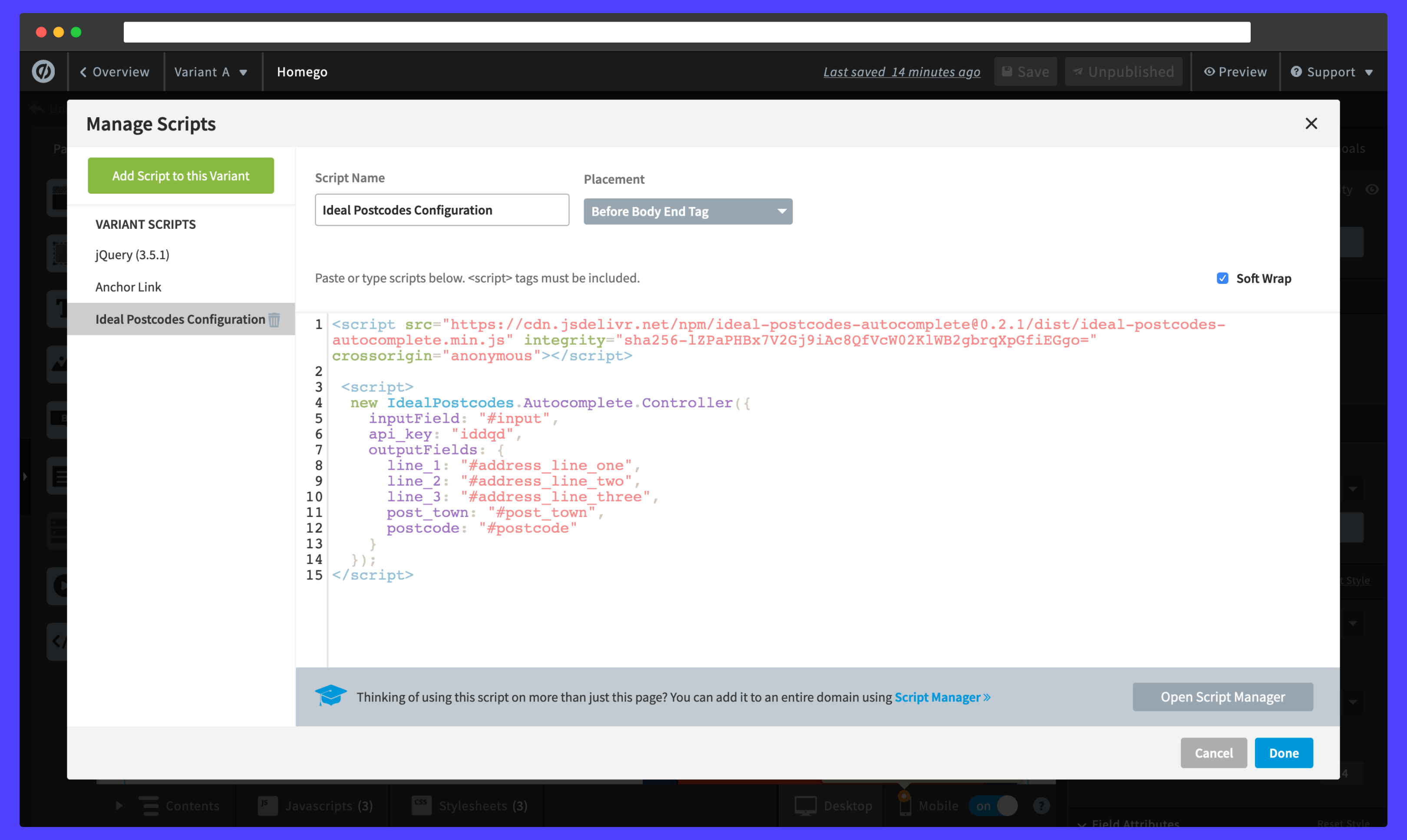
Click on `Done` and remember to also save any progress.
## Initialise Postcode Lookup[](#initialise-postcode-lookup "Direct link to Initialise Postcode Lookup")
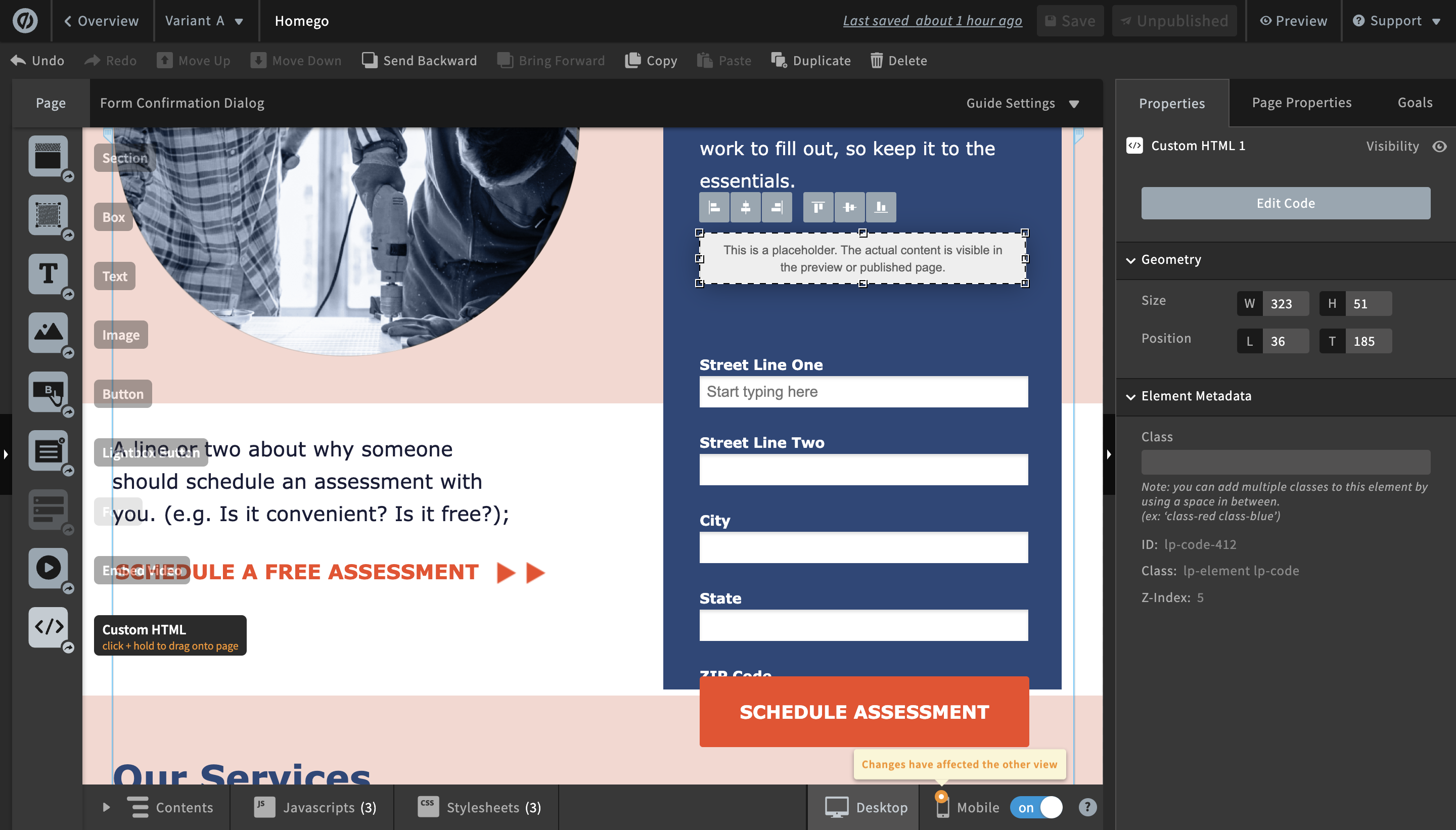
Create a new Custom HTML and place it above your first address field. This will create the postcode search field, search button and address dropdown for the plugin. Paste the code below
```
```
Navigate to the bottom of the Unbounce Builder page.
Click on the `JavaScripts` tab, followed by `Add New JavaScript`. Give the script a name and paste in the following scripts:
```
```
The values for the address lines correspond to the names set when creating the input fields.
Make sure you update the value for the `apiKey` with your own API Key. Your API Key typically begins with `ak_`.
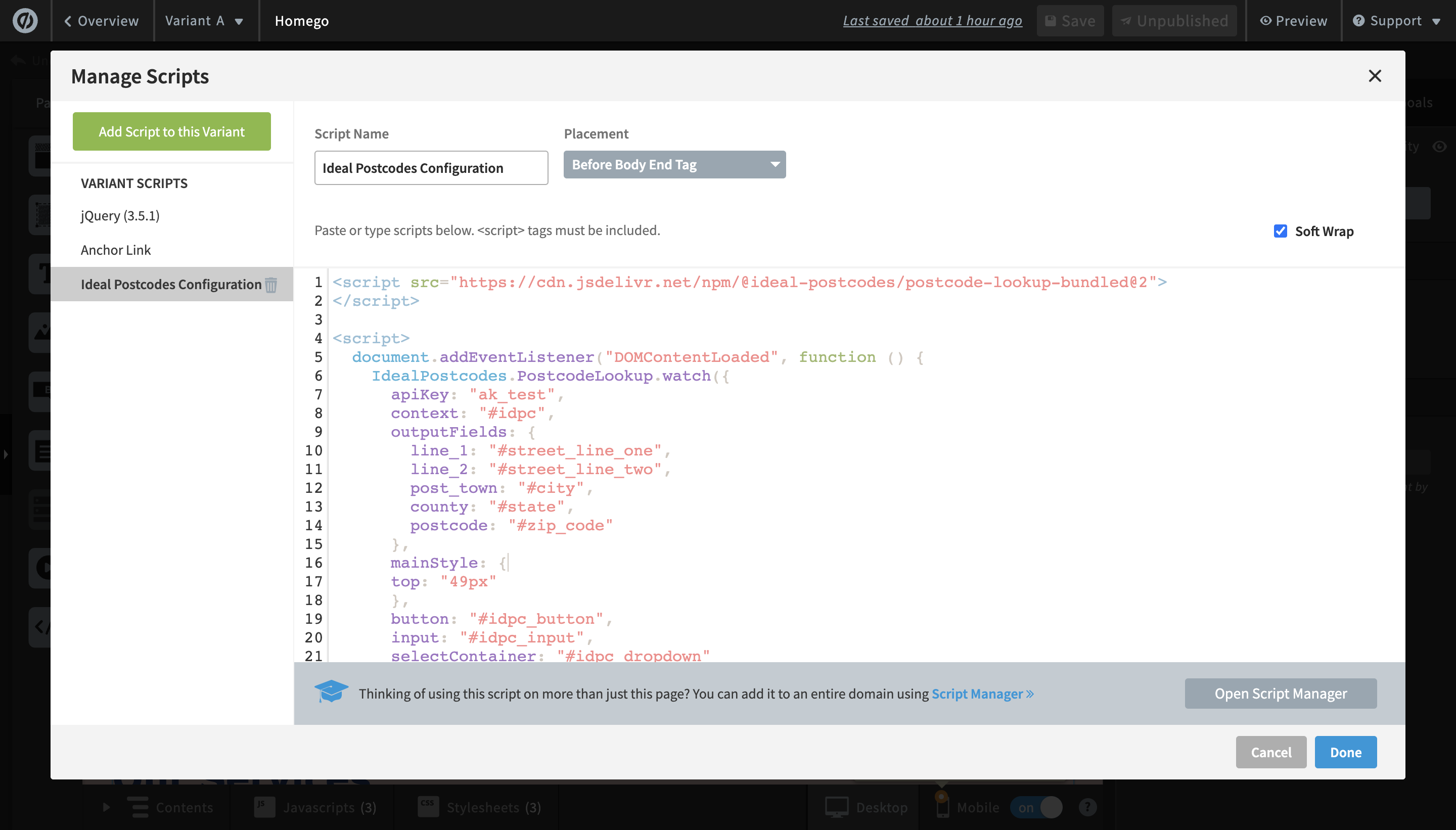
Click on `Done` and remember to also save any progress.
#### Optional: Customise the Autocomplete Script[](#optional-customise-the-autocomplete-script "Direct link to Optional: Customise the Autocomplete Script")
If you wish to add an additional field, include the parameter name [from our documentation](/docs/data/paf.md). For instance, adding a county field to your script will look like:
```
outputFields: {
line_1: "#address_line_one",
line_2: "#address_line_two",
line_3: "#address_line_three",
post_town: "#post_town",
county: "#county",
postcode: "#postcode"
}
```
## Configuration[](#configuration "Direct link to Configuration")
See our [Address Finder Plugin Documentation](/docs/address-finder.md) if you wish to customise Address Finder.
See our [Postcode Lookup Plugin Documentation](/docs/postcode-lookup.md) if you wish to customise Postcode Lookup.
info
Still need help? Contact our support team via live chat on our website or email .