# Installing Address Validation & Postcode Lookup for OpenCart
This guide walks you through installing and configuring the Ideal Postcodes address validation extension for OpenCart. The extension enables address finder or postcode lookup at checkout and account address forms.
## Overview[](#overview "Direct link to Overview")
**What this integration provides:**
* Real-time UK address validation and postcode lookup
* Enhanced checkout experience with faster address entry
* Reduced delivery errors and customer support tickets
* Improved data quality across all address collection points
**Choose Your Method:** Use the extension for Address Finder or UK Postcode Lookup to enhance your OpenCart checkout experience. If unsure which method is best, read our [Address Finder vs Postcode Lookup comparison guide](https://ideal-postcodes.co.uk/guides/postcode-lookup-vs-address-finder) or [watch the video](https://www.youtube.com/watch?v=2l6armAn25k).
## Where Address Lookup is Applied[](#where-address-lookup-is-applied "Direct link to Where Address Lookup is Applied")
The extension adds address validation or postcode lookup to:
* **Checkout Billing Form** - Customer billing address entry
* **Checkout Shipping Form** - Customer shipping address entry
* **Account Address Book** - Customer address management
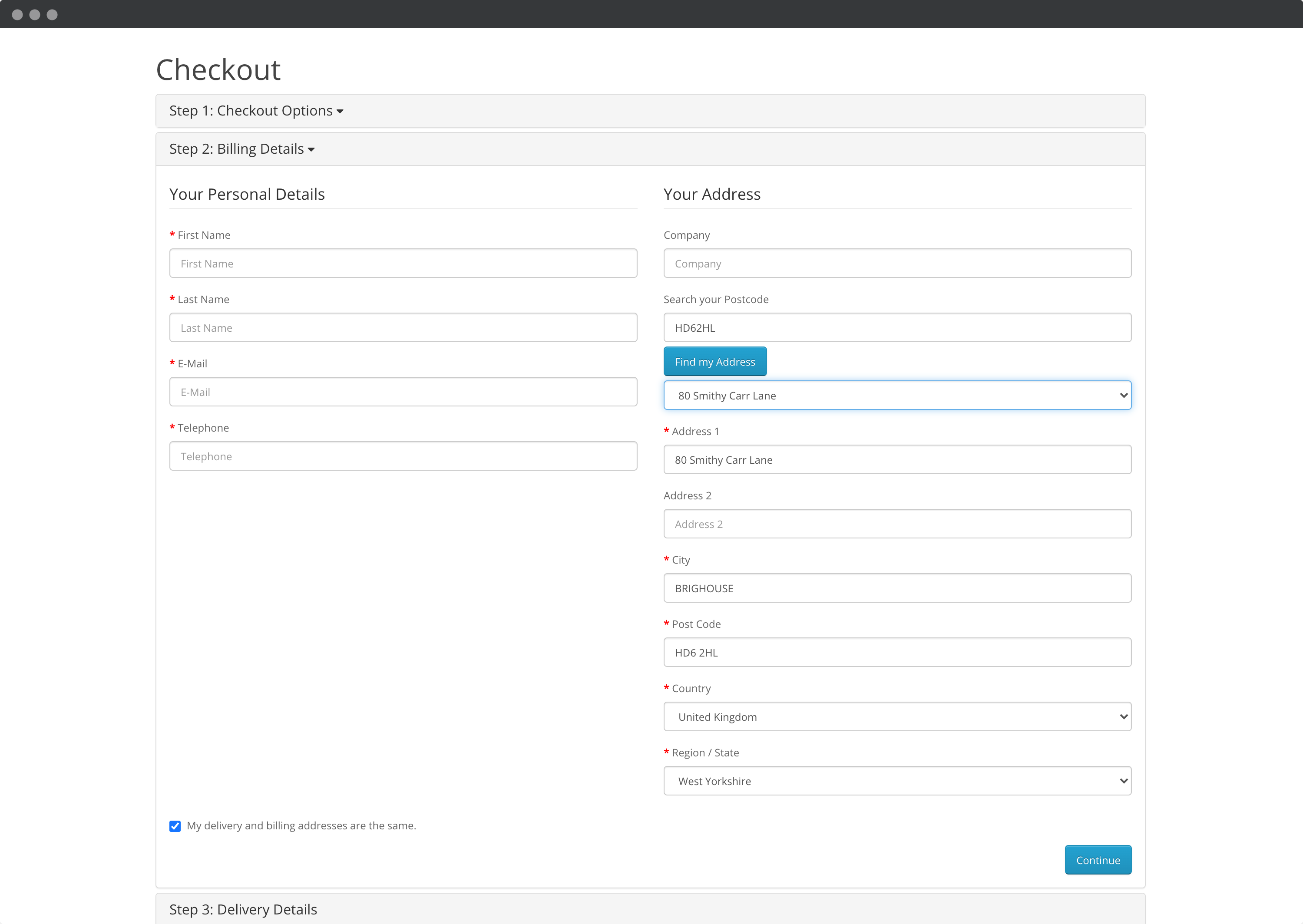
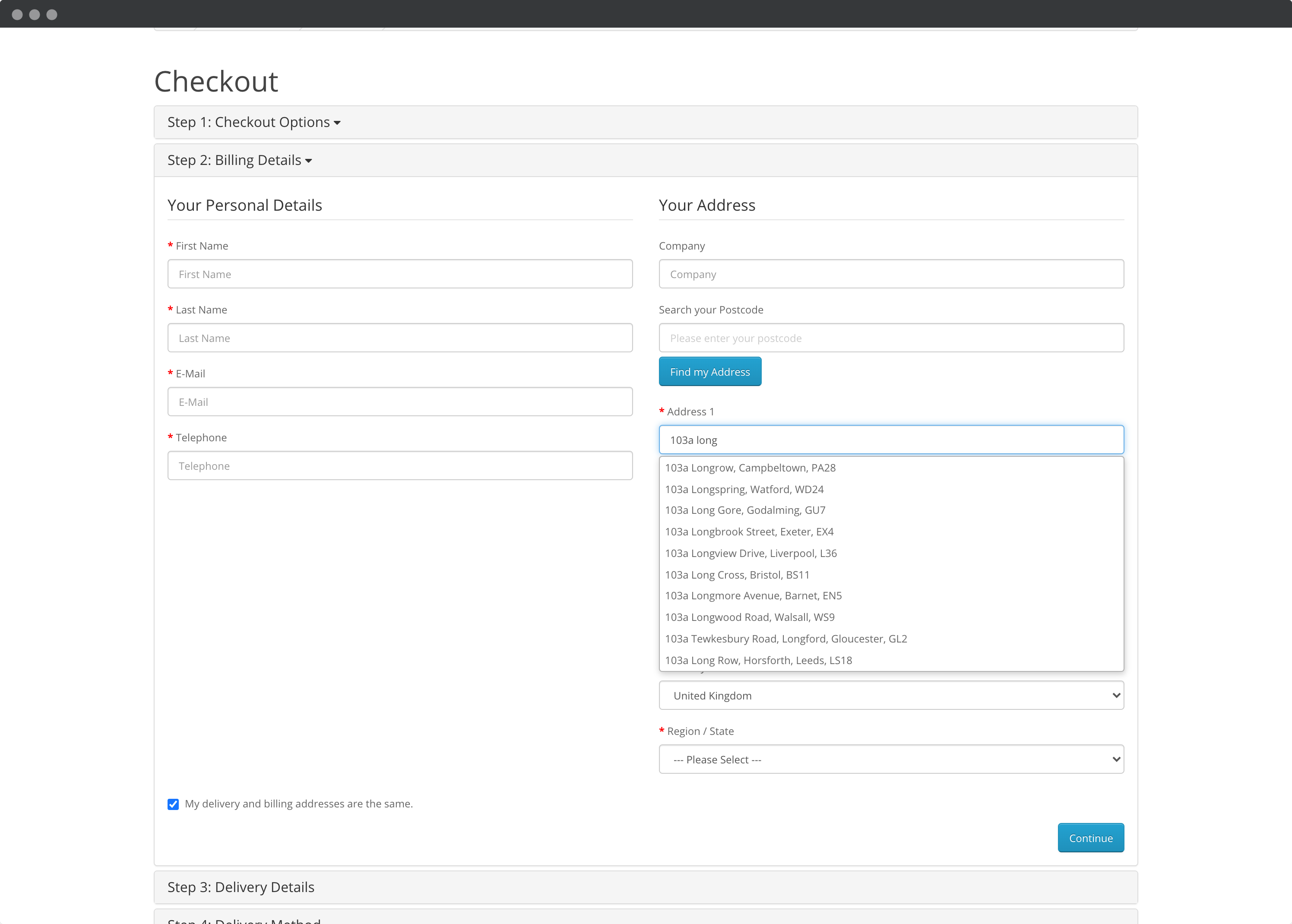
## Screenshots[](#screenshots "Direct link to Screenshots")
### Postcode Lookup[](#postcode-lookup "Direct link to Postcode Lookup")
### Address Finder[](#address-finder "Direct link to Address Finder")
***
## 1. Sign up for a Free Trial and Get Your API Key[](#1-sign-up-for-a-free-trial-and-get-your-api-key "Direct link to 1. Sign up for a Free Trial and Get Your API Key")
Before installing the extension, you'll need an Ideal Postcodes API Key.
**Steps:**
1. Sign up for a free account at [ideal-postcodes.co.uk/sign-up](https://account.ideal-postcodes.co.uk/users/sign_up)
2. Navigate to the **KEYS** section in your account
3. Copy your API Key - you'll need this to complete the setup in OpenCart. It's a string of characters that begins with the letters `ak_`
💡 **All new accounts include 50 free test credits - no payment required.**
***
## 2. Install the OpenCart Extension[](#2-install-the-opencart-extension "Direct link to 2. Install the OpenCart Extension")
**Steps:**
1. **Download the Extension**
Visit our [GitHub releases page](https://github.com/ideal-postcodes/opencart/releases) and download the latest file labeled **"Ideal Postcodes Open Cart Module x.x.x"**
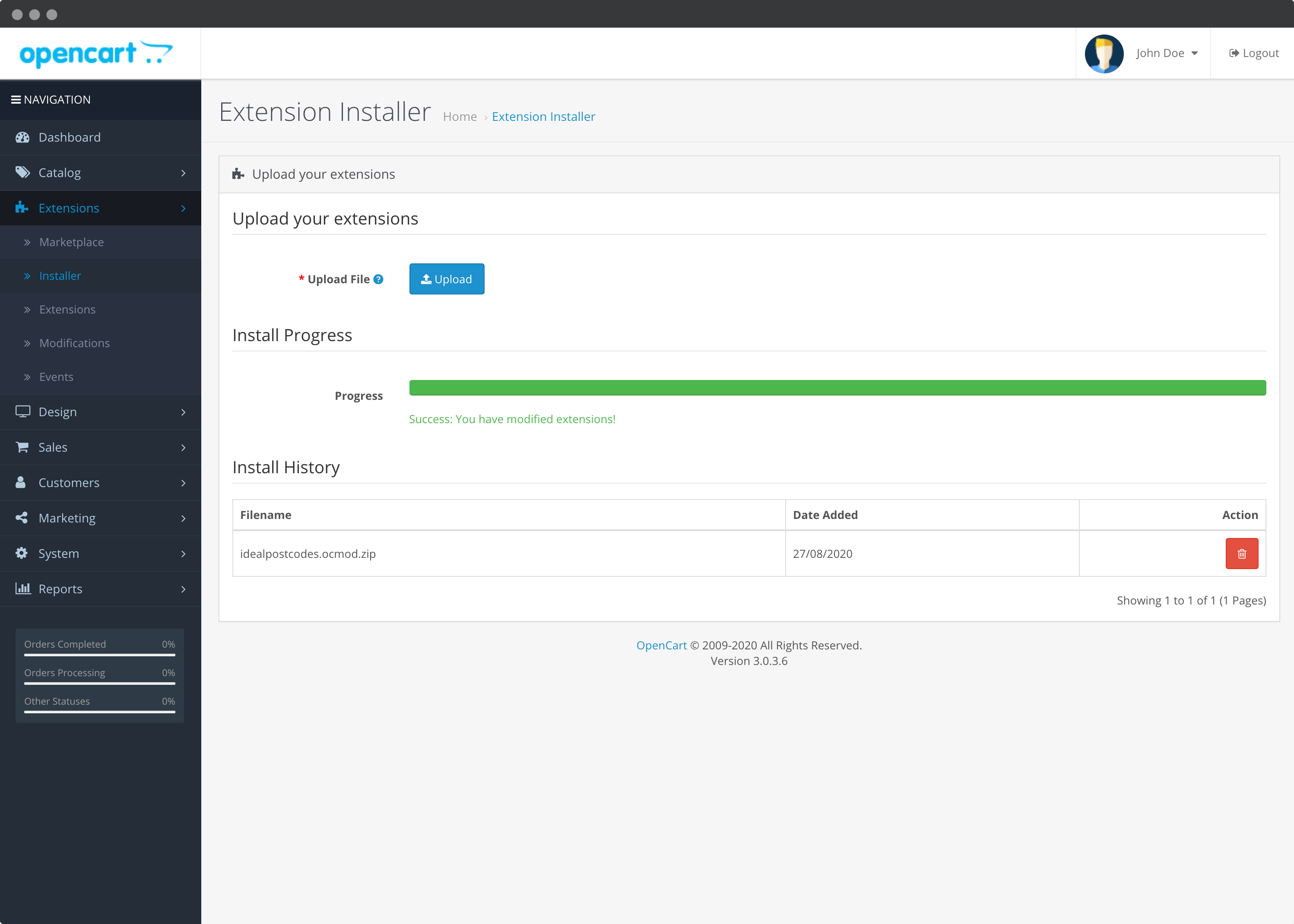
2. **Upload the Extension**
From your OpenCart Admin, go to **Extensions** → **Installer**
Upload the `.ocmod.zip` file you downloaded
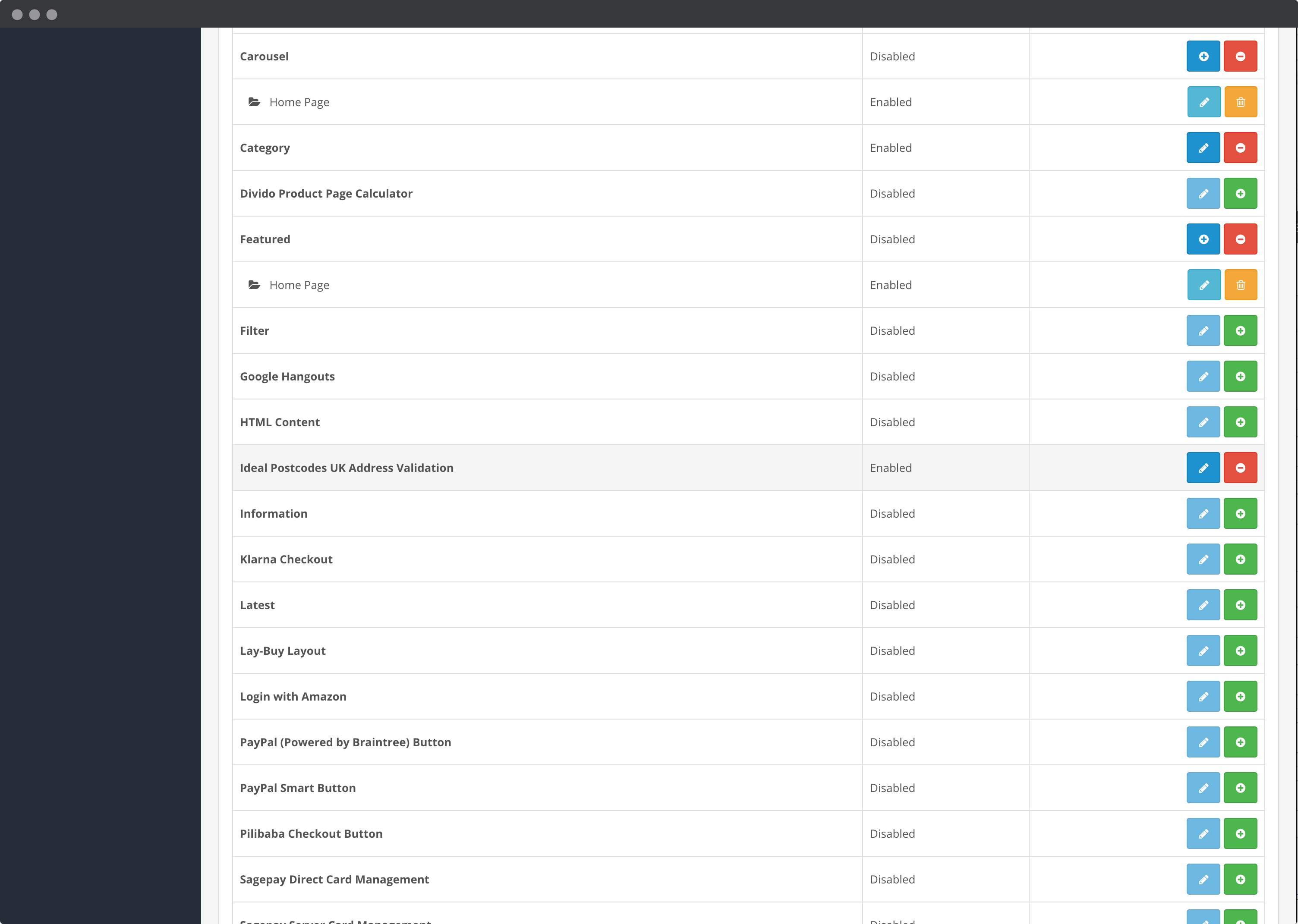
3. **Install the Module**
Go to **Extensions** → **Extensions** and select **Modules** from the dropdown
Scroll down to **"Ideal Postcodes UK Address Validation"**
Click the green **Install** button (➕)
***
## 3. Configure the Extension[](#3-configure-the-extension "Direct link to 3. Configure the Extension")
Once installed, configure the extension with your API Key and preferences.
**Steps:**
1. **Access Configuration**
From the Extensions page (where you installed the module), click the blue **Edit** button (✏️) next to "Ideal Postcodes UK Address Validation"
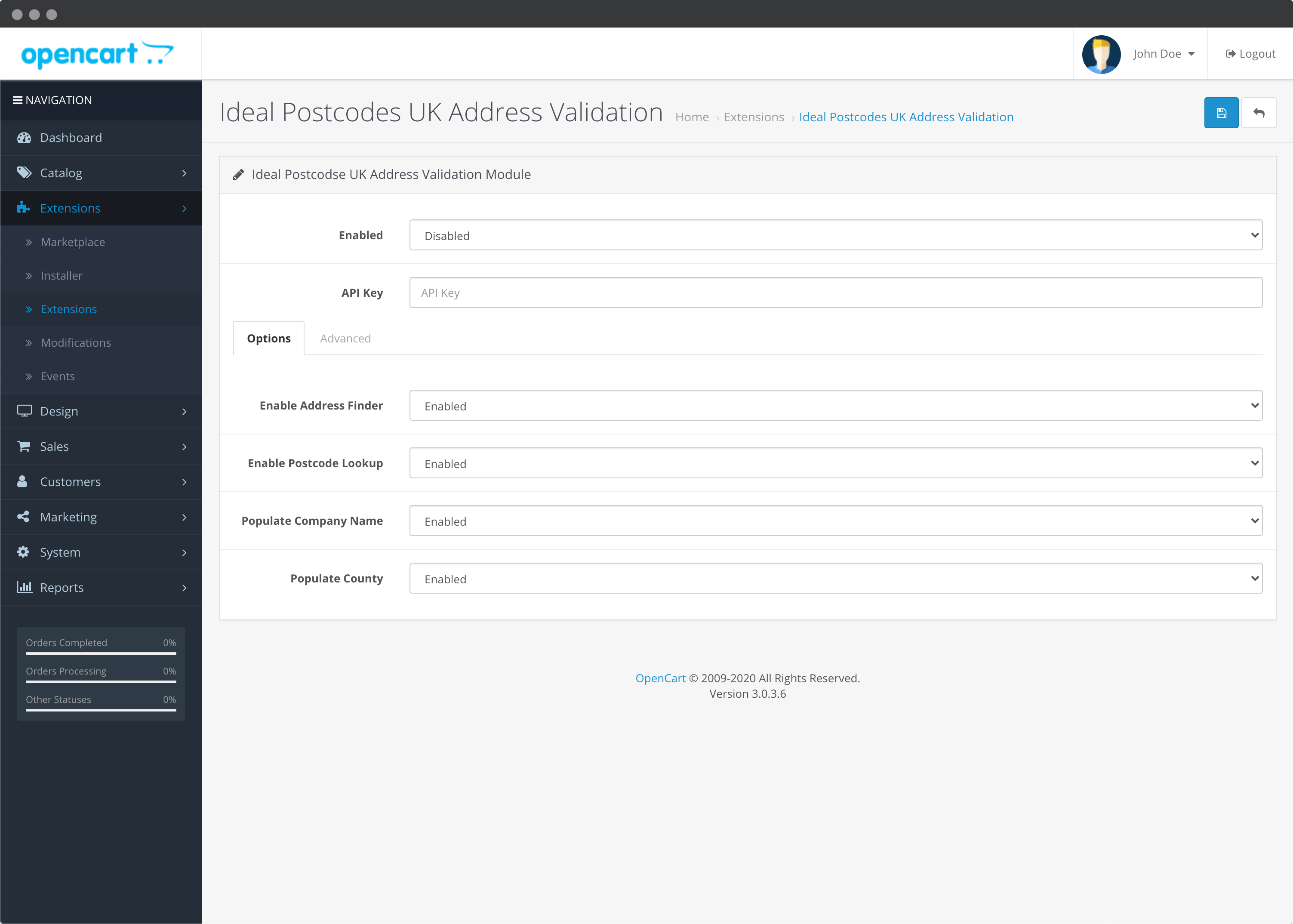
2. **Required Settings**
* **Status:** Set to **Enabled**
* **API Key:** Paste your API Key from Step 1
3. **Choose Address Lookup Methods**
* **Enable Postcode Lookup:** Enable for traditional UK postcode search
* **Enable Address Finder:** Enable for type-ahead address search
💡 **Tip:** You can enable both methods for maximum flexibility
4. **Optional Settings**
* **Enable Populate Organisation:** Auto-fill company name from selected address
* **Enable County:** Auto-fill county field (not recommended for UK addresses)
5. **Save Configuration**
Click **Save** in the top right corner
***
## 4. Add Extension to Page Layouts[](#4-add-extension-to-page-layouts "Direct link to 4. Add Extension to Page Layouts")
To enable address validation on checkout and account pages, you need to add the module to your page layouts.
**Steps:**
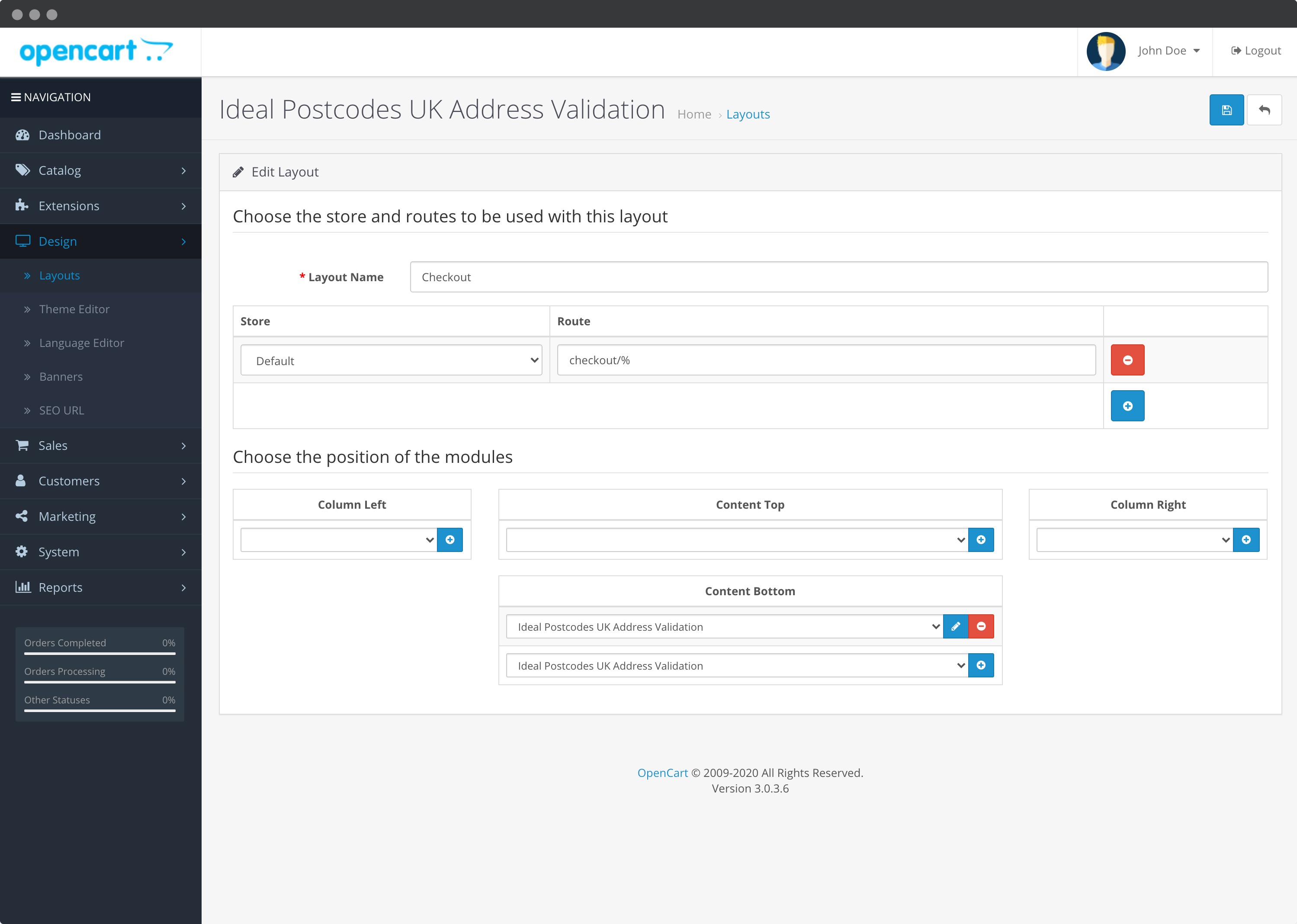
1. **Access Layout Management**
From your OpenCart Admin, go to **Design** → **Layouts**
2. **Configure Checkout Layout**
* Find and click **Checkout** in the layouts list
* In the **Content Bottom** section, click **Add Module**
* Select **Ideal Postcodes UK Address Validation** from the dropdown
* Click the **Save** button (top right)
3. **Configure Account Layout**
* Find and click **Account** in the layouts list
* In the **Content Bottom** section, click **Add Module**
* Select **Ideal Postcodes UK Address Validation** from the dropdown
* Click the **Save** button (top right)
***
## 5. Test the Integration[](#5-test-the-integration "Direct link to 5. Test the Integration")
To verify the address validation is working:
1. Go to your OpenCart checkout page
2. Begin typing an address in the billing or shipping address field
3. The Ideal Postcodes address lookup tool should automatically suggest addresses as you type
***
## 6. Configuration Reference[](#6-configuration-reference "Direct link to 6. Configuration Reference")
### Required Settings[](#required-settings "Direct link to Required Settings")
| Setting | Description |
| ----------- | ----------------------------------------------------------------------------------------------- |
| **Status** | Enable or disable the extension. Set to **Enabled** to activate address validation |
| **API Key** | Your Ideal Postcodes API Key (format: `ak_xxxxxxxxxx`). Required for address validation to work |
### Address Lookup Methods[](#address-lookup-methods "Direct link to Address Lookup Methods")
| Setting | Description |
| -------------------------- | ------------------------------------------------------------------------------------------- |
| **Enable Postcode Lookup** | Enable traditional postcode lookup. Users type their postcode and select from a list |
| **Enable Address Finder** | Enable type-ahead address search. Users type their address and see suggestions as they type |
💡 **Tip:** You can enable both methods to give users flexibility in how they enter their address.
### Optional Settings[](#optional-settings "Direct link to Optional Settings")
| Setting | Description |
| -------------------------------- | --------------------------------------------------------------------------------------------------- |
| **Enable Populate Organisation** | Auto-fill the company name field when the selected address includes an organisation |
| **Enable County** | Auto-fill the county/region field. Not recommended for UK addresses as county is no longer required |
### Advanced Settings[](#advanced-settings "Direct link to Advanced Settings")
| Setting | Description |
| ------------------------------------------ | ----------------------------------------------------------------------------------------------- |
| **Postcode Lookup Configuration Override** | Advanced JavaScript configuration override. Leave as `{}` unless you have specific requirements |
| **Address Finder Configuration Override** | Advanced JavaScript configuration override. Leave as `{}` unless you have specific requirements |
⚠️ **Warning:** Invalid inputs in advanced settings will cause the integration to break. Only modify if you understand JavaScript configuration.
***
## 7. Troubleshooting[](#7-troubleshooting "Direct link to 7. Troubleshooting")
| Issue | Solution |
| -------------------------------------- | ------------------------------------------------------------------------------------------------------------------------------------------------------------------------------------------ |
| No address suggestions appear | • Verify API Key is correct in extension settings
• Check key balance in your account dashboard
• Ensure Status is set to "Enabled"
• Verify country is set to UK territory |
| Extension not showing on checkout | • Check that module is added to Checkout layout in Design → Layouts
• Verify module is installed and enabled in Extensions
• Clear OpenCart cache |
| Extension not showing on account pages | • Check that module is added to Account layout in Design → Layouts
• Verify module is installed and enabled in Extensions |
| Address fields not populating | • Check browser console (F12) for JavaScript errors
• Verify theme compatibility
• Test with default OpenCart theme to isolate theme issues |
info
Need help? Contact our support team via live chat on our website or email .