# Elementor
Add address autocompletion and postcode lookup to your Elementor pages.
## Demo[](#demo "Direct link to Demo")
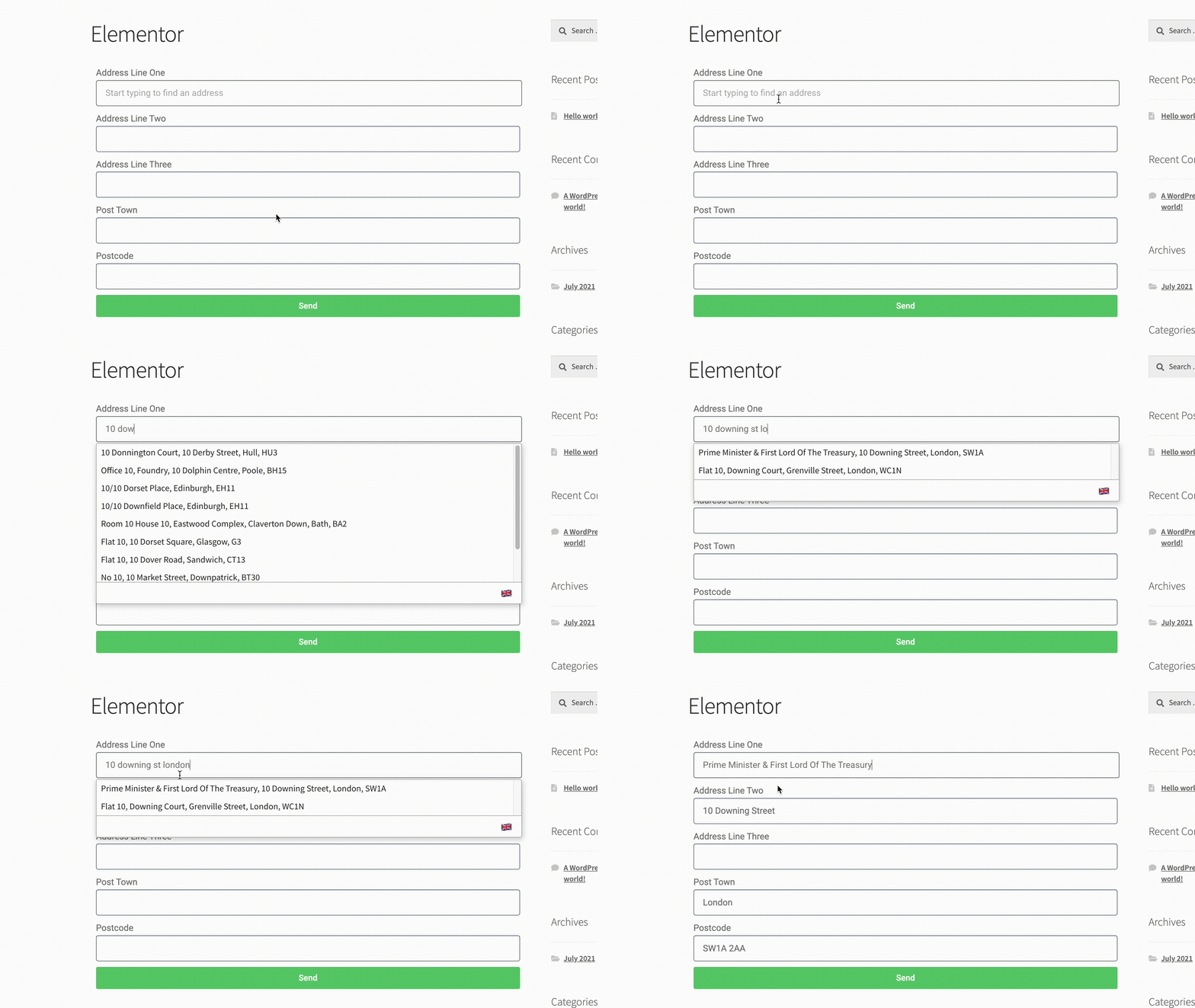
#### Address Finder Demo[](#address-finder-demo "Direct link to Address Finder Demo")
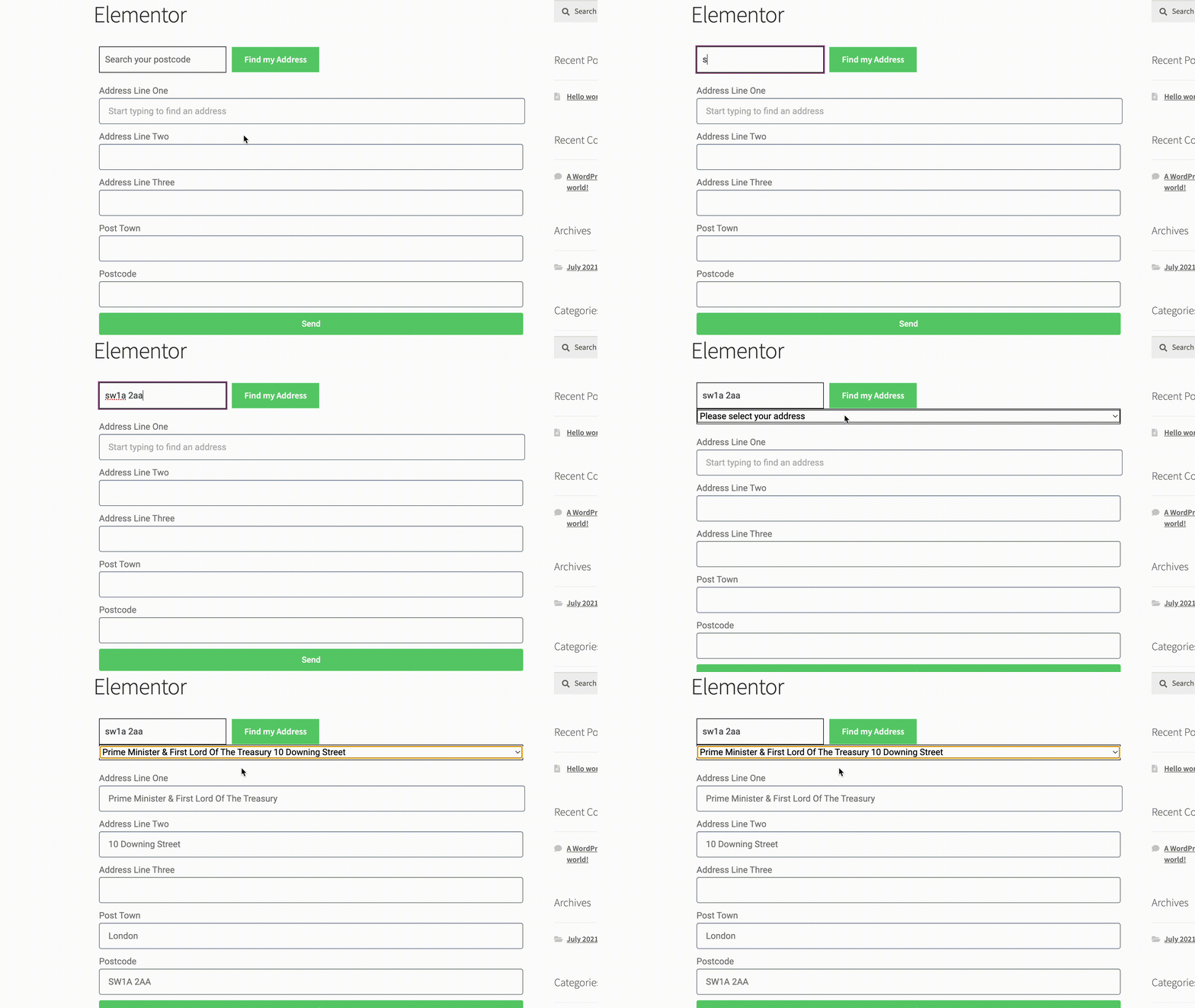
#### Postcode Lookup Demo[](#postcode-lookup-demo "Direct link to Postcode Lookup Demo")
***
***
## Form Creation[](#form-creation "Direct link to Form Creation")
This integration works by adding our Address Validation tools using Elementor's page builder. This requires you to upgrade your account to the Pro version to access the necessary components. Below are the instructions to add Postcode Lookup or Address Finder.
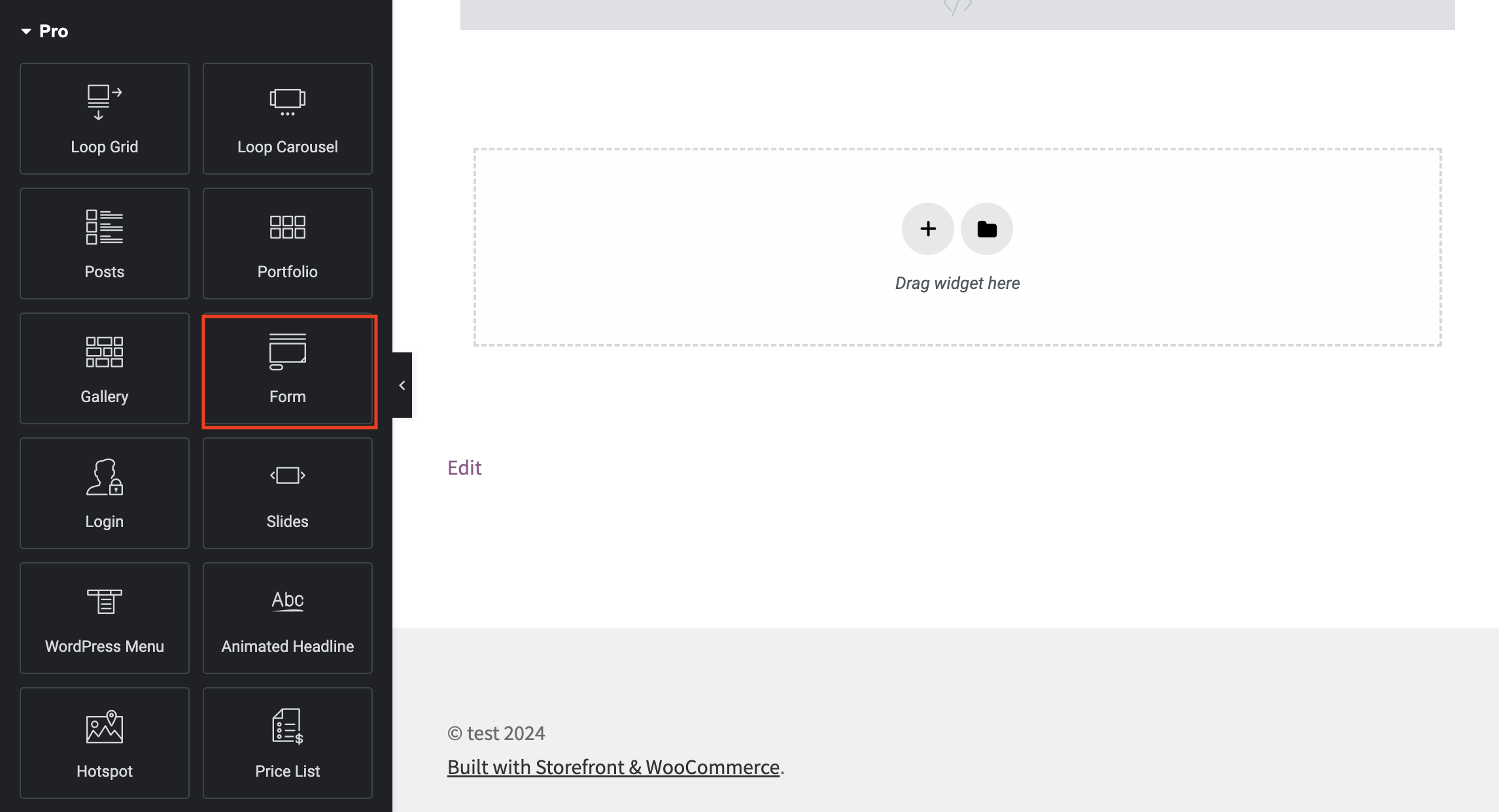
First create a form, to do this on Elementor scroll down to the Pro section on the left-side menu and choose 'Form'
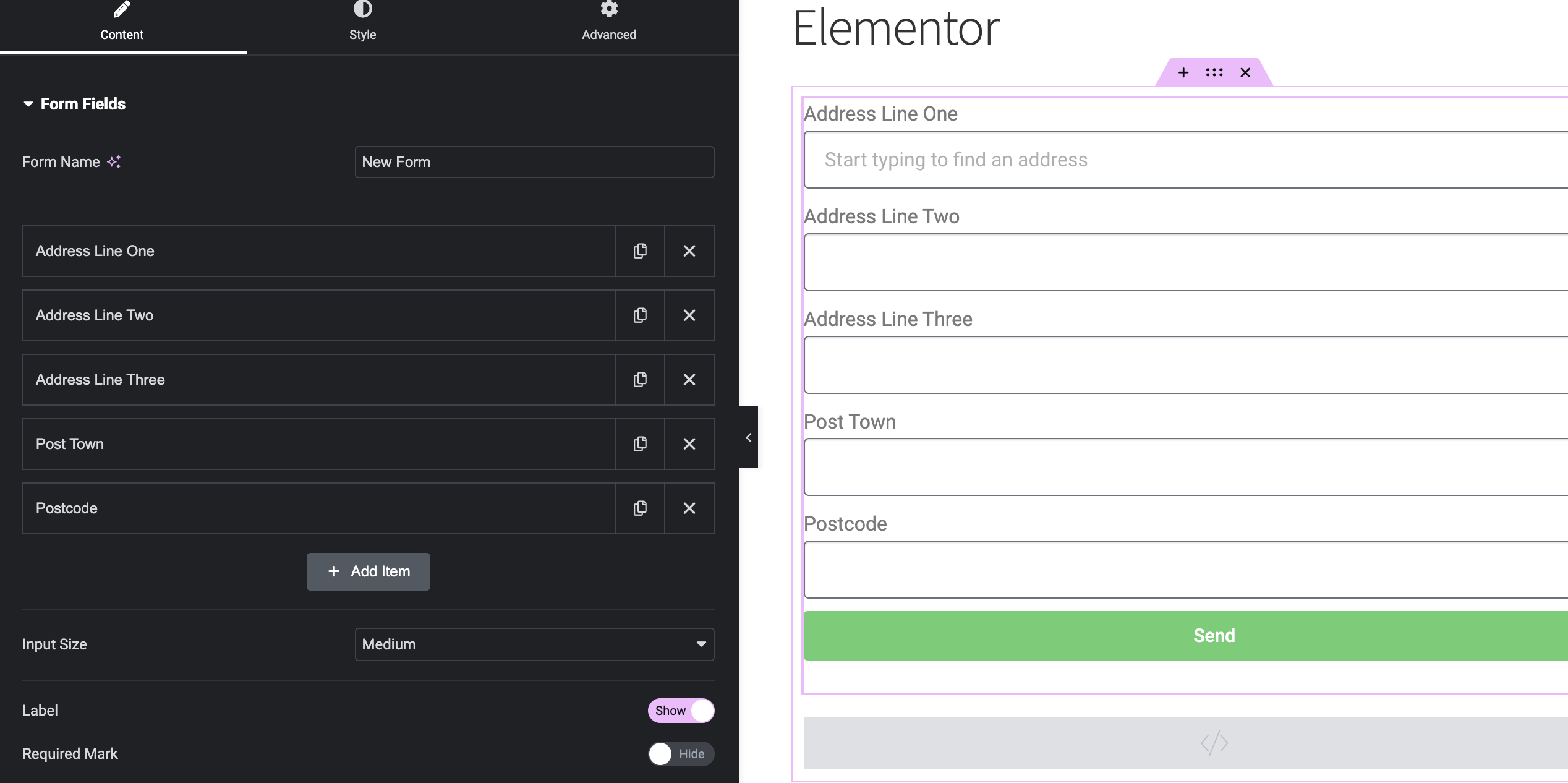
A basic address form to capture a correct UK address should have the following fields:
* Address line one (required)
* Address line two
* Address line three
* Post town (required)
* Postcode (required)
You can optionally include additional fields, which are listed in the [Address data guide](/docs/data/paf.md).
***
## Installation[](#installation "Direct link to Installation")
### Add Address Finder[](#add-address-finder "Direct link to Add Address Finder")
Look for the HTML component, it is located in the General section of the Elementor components menu. Place it underneath the form. Click on the HTML component and add the script below.
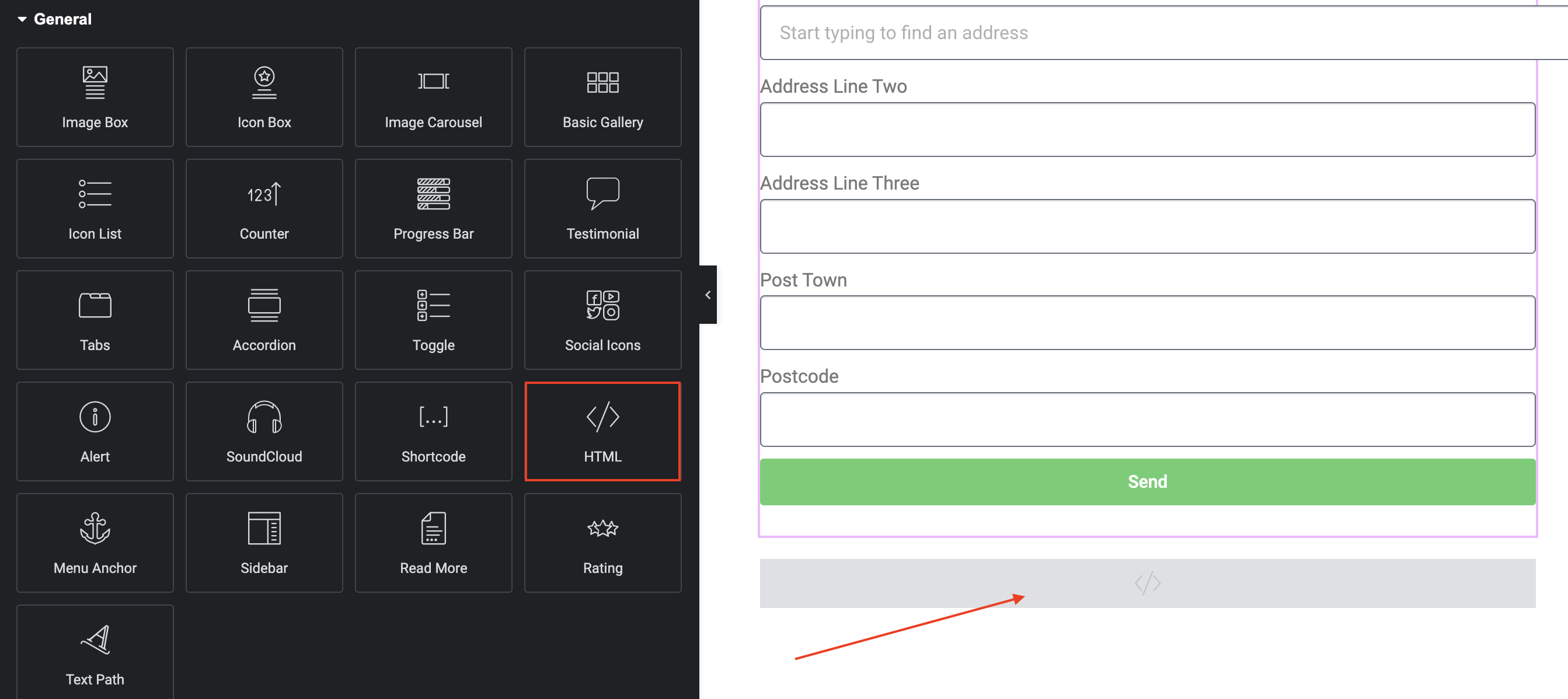
```
```
caution
Take special care to:
1. Insert your API Key in the `apiKey` field
2. Match the names of your address fields. If your Address Line One has an id=`address-line-one`, ensure that `line_1` reads `'#address-line-one'`
If you wish to add an additional field, include the parameter name [from our documentation](/docs/data/paf.md). For instance, adding a UPRN field with an ID `#form-field-uprn` will look like:
```
outputFields: {
line_1: '#form-field-line_1',
line_2: '#form-field-line_2',
line_3: '#form-field-line_3',
post_town: '#form-field-post_town',
postcode: '#form-field-postcode',
uprn: '#form-field-uprn'
}
```
info
See our [Address Finder Plugin Documentation](/docs/address-finder.md) if you wish to customise Address Finder.
***
***
### Add Postcode Lookup[](#add-postcode-lookup "Direct link to Add Postcode Lookup")
#### Add Postcode Lookup HTML elements[](#add-postcode-lookup-html-elements "Direct link to Add Postcode Lookup HTML elements")
Look for the HTML component, it is located in the General section of the Elementor components menu. Place it one above and underneath the form.
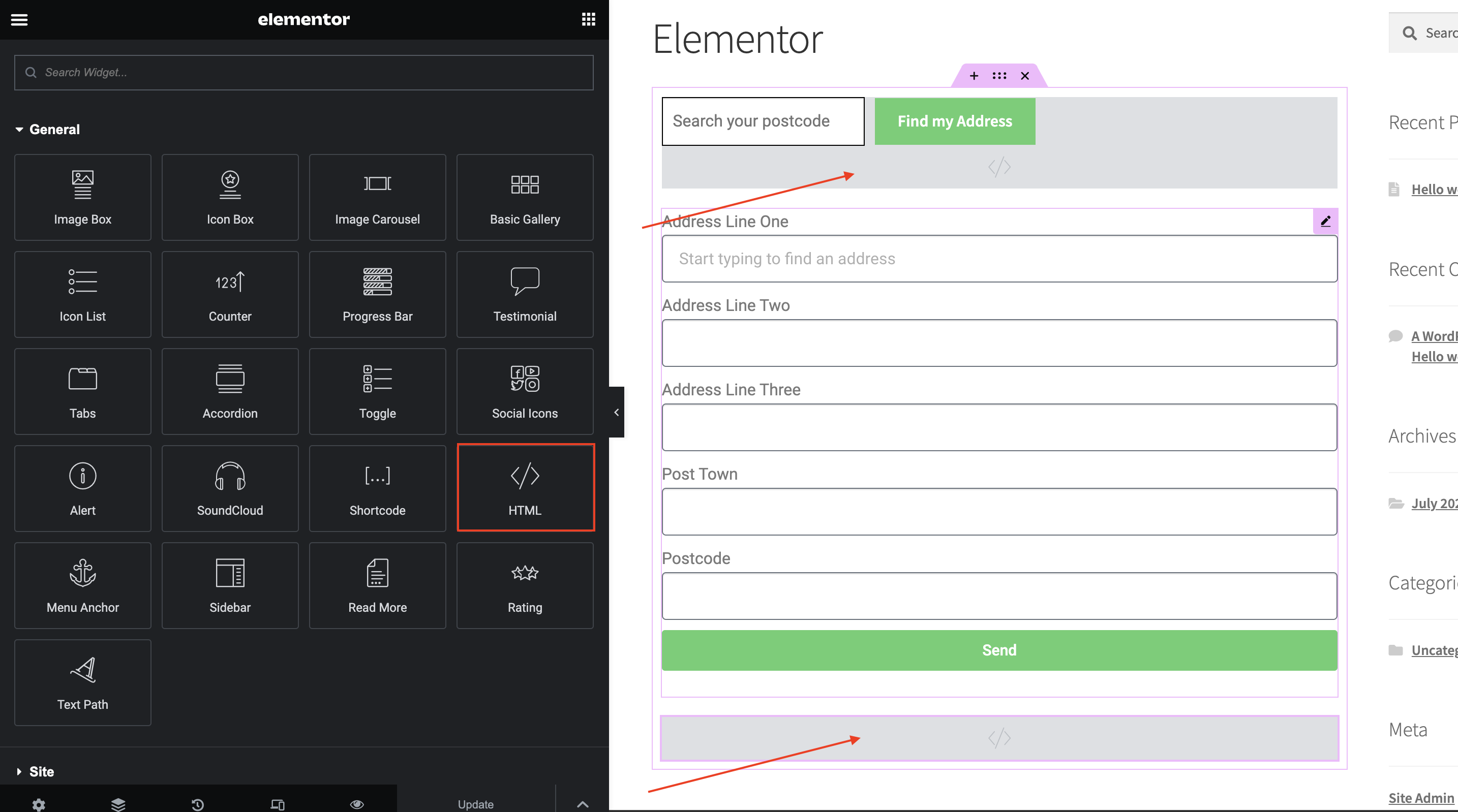
Click on the HTML component above the form and add the script below. This will generate the input field and button needed for Postcode Lookup.
```
```
caution
The HTML generated by the Postcode Lookup Library does not have any styling. Postcode Lookup CSS classes can be found [here](/docs/postcode-lookup/css-classes.md)
Next, add the script below on the second HTML component.
```
```
If you wish to add an additional field, include the parameter name [from our documentation](/docs/data/paf.md). For instance, adding a UPRN field with an ID `#form-field-uprn` will look like:
```
outputFields: {
line_1: '#form-field-line_1',
line_2: '#form-field-line_2',
line_3: '#form-field-line_3',
post_town: '#form-field-post_town',
postcode: '#form-field-postcode',
uprn: '#form-field-uprn'
}
```
info
See our [Postcode Lookup Plugin Documentation](/docs/postcode-lookup.md) if you wish to customise Postcode Lookup.