# Calculated Fields Form Integration
Integrate Address Validation to Your WordPress Calculated Fields Form Pages.
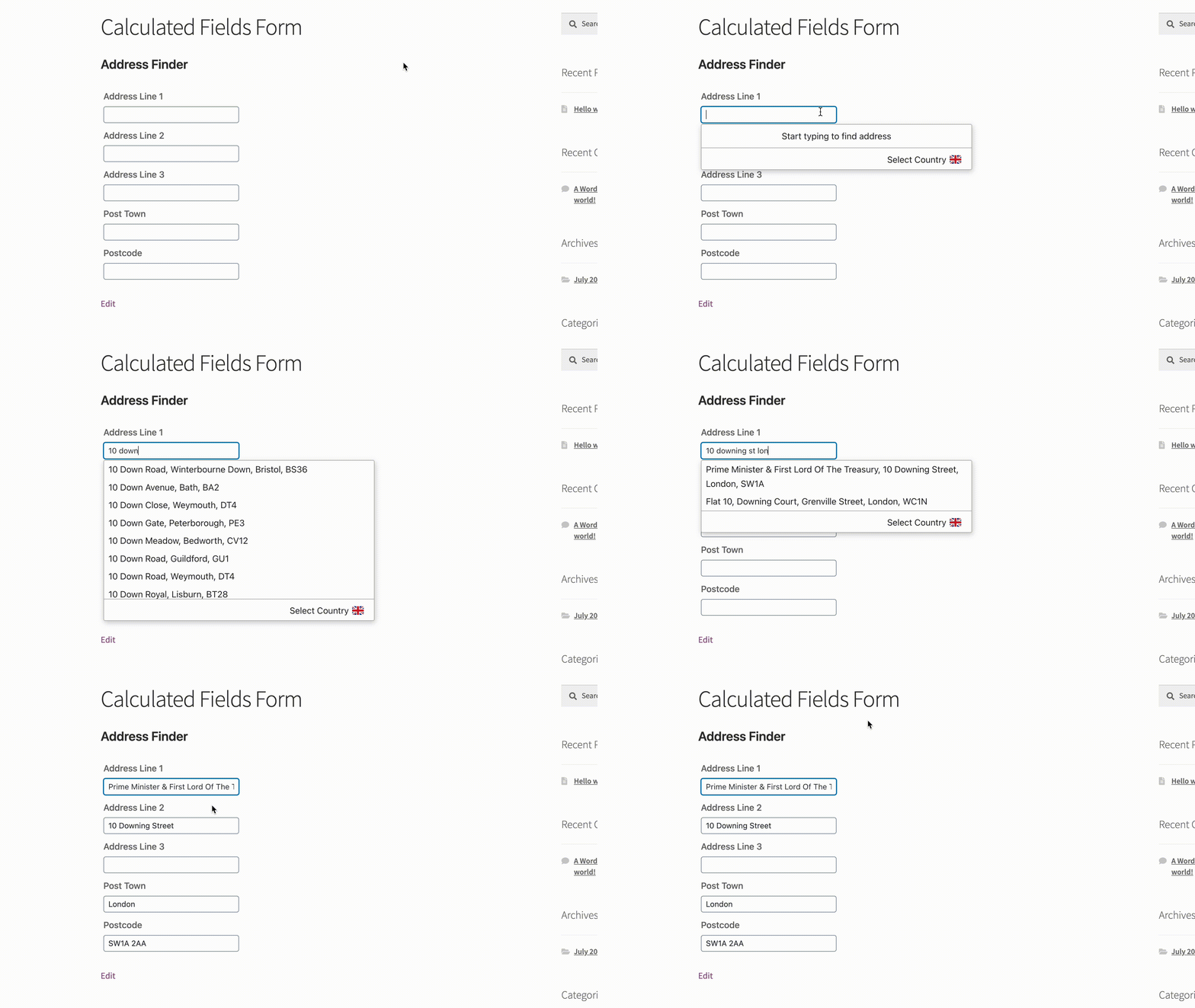
## Demo[](#demo "Direct link to Demo")
### Address Finder[](#address-finder "Direct link to Address Finder")
## Installation[](#installation "Direct link to Installation")
This integration works by adding our Address Validation tools using CFF's form editor. Below are the instructions to add Postcode Lookup or Address Finder.
### Create Address Inputs[](#create-address-inputs "Direct link to Create Address Inputs")
Add address input fields to your form. Use the form editor's `Single Line Text`. A basic address form to capture a correct UK address should have the following fields:
* Address line one (required)
* Address line two
* Address line three
* Post town (required)
* Postcode (required)
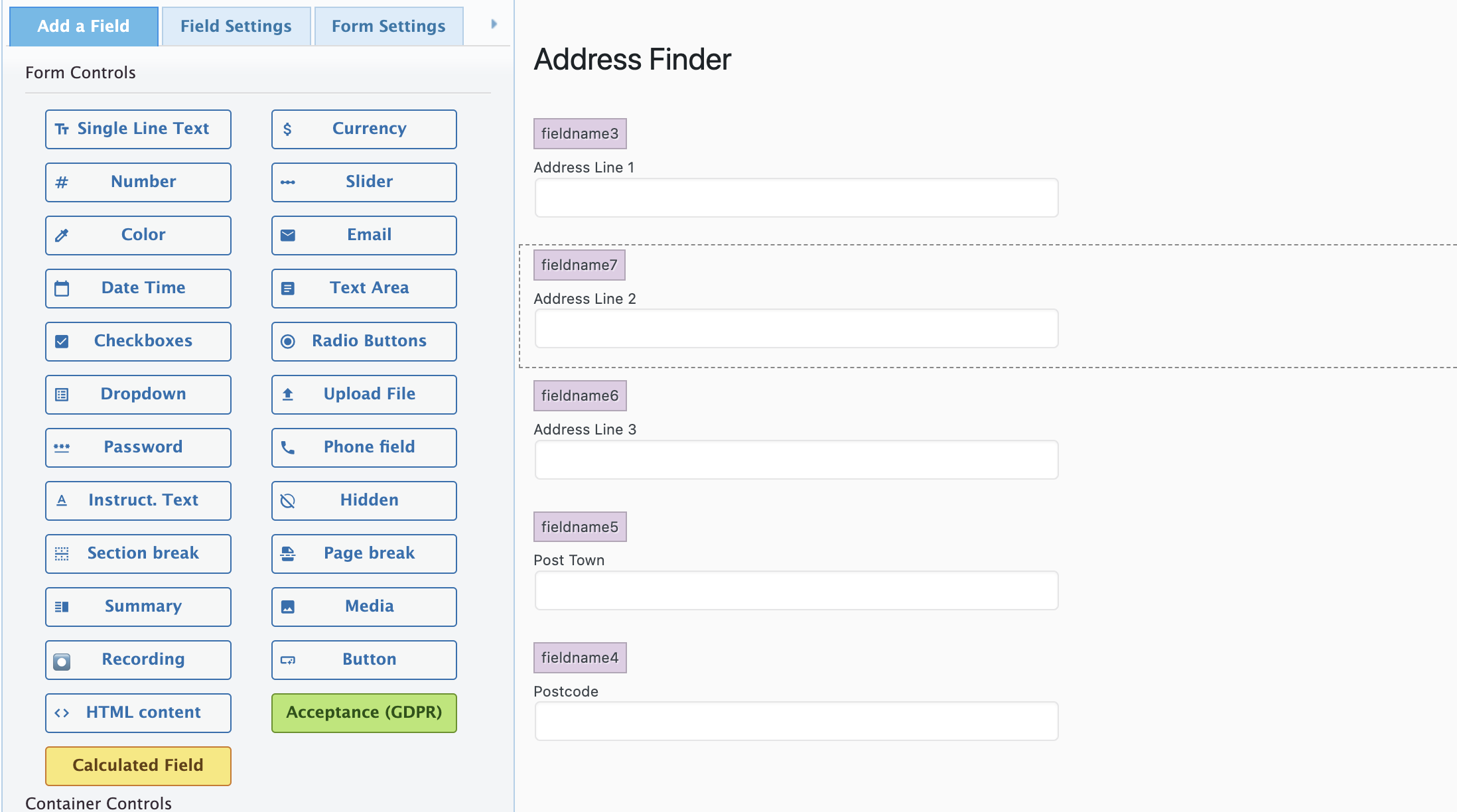
You can optionally include additional fields, which are documented in the [PAF documentation page](/docs/api/addresses.md).
### Add Address Finder[](#add-address-finder "Direct link to Add Address Finder")
#### Install and Initialise Plugin[](#install-and-initialise-plugin "Direct link to Install and Initialise Plugin")
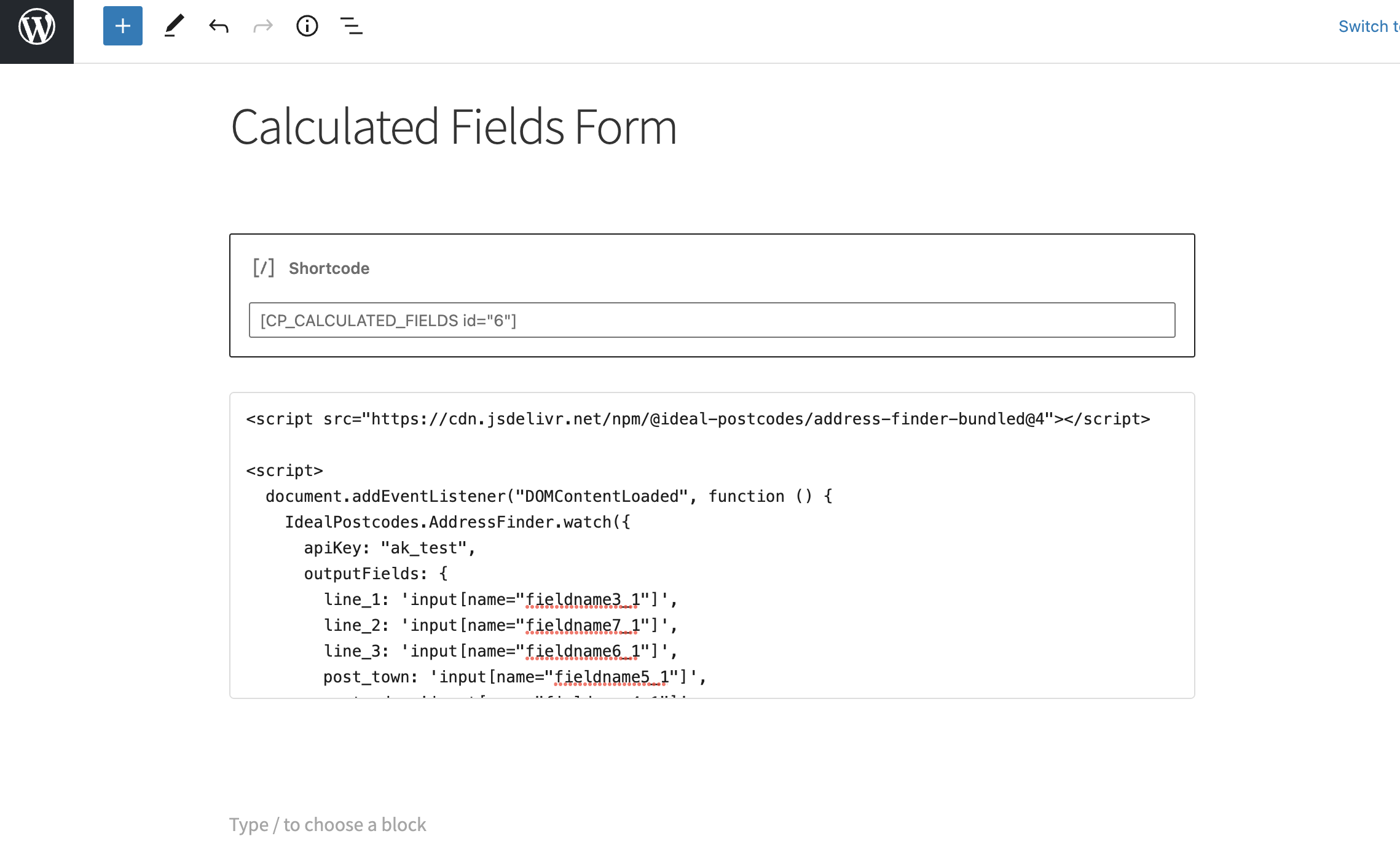
Add the form's `shortcode` on the page.
Create a `html block` and add the two script tags at the bottom of your form to load the plugin and then to initialise it.
```
```
You can optionally override CSS styles in the form editor. E.g.
```
```
caution
Take special care to:
1. Insert your API Key in the `apiKey` field
2. Match the names of your target fields. If your Address Line One has the fieldname tag `fieldname3`, ensure that `line_1` reads `fieldname3_1`
If you wish to add an additional field, include the parameter name [from our documentation](/docs/data/paf.md). For instance, adding a county field with name `county` will look like:
```
outputFields: {
line_1: 'input[name="fieldname1_1"]',
line_2: 'input[name="fieldname2_1"]',
line_3: 'input[name="fieldname3_1"]',
post_town: 'input[name="fieldname4_1"]',
postcode: 'input[name="fieldname5_1"]'
uprn: 'input[name="fieldname6_1"]'
}
```
## Configuration[](#configuration "Direct link to Configuration")
See our [Address Finder Plugin Documentation](/docs/address-finder.md) if you wish to customise Address Finder.
See our [Postcode Lookup Plugin Documentation](/docs/postcode-lookup.md) if you wish to customise Postcode Lookup.
info
Still need help? Contact our support team via live chat on our website or email .